Check and Fix Your WordPress SEO With AI (Rank Math + Claude)
Connect Claude to Rank Math and check or fix your WordPress SEO by chatting. A beginner-friendly guide to Rank Math's new built-in AI (MCP) tools.
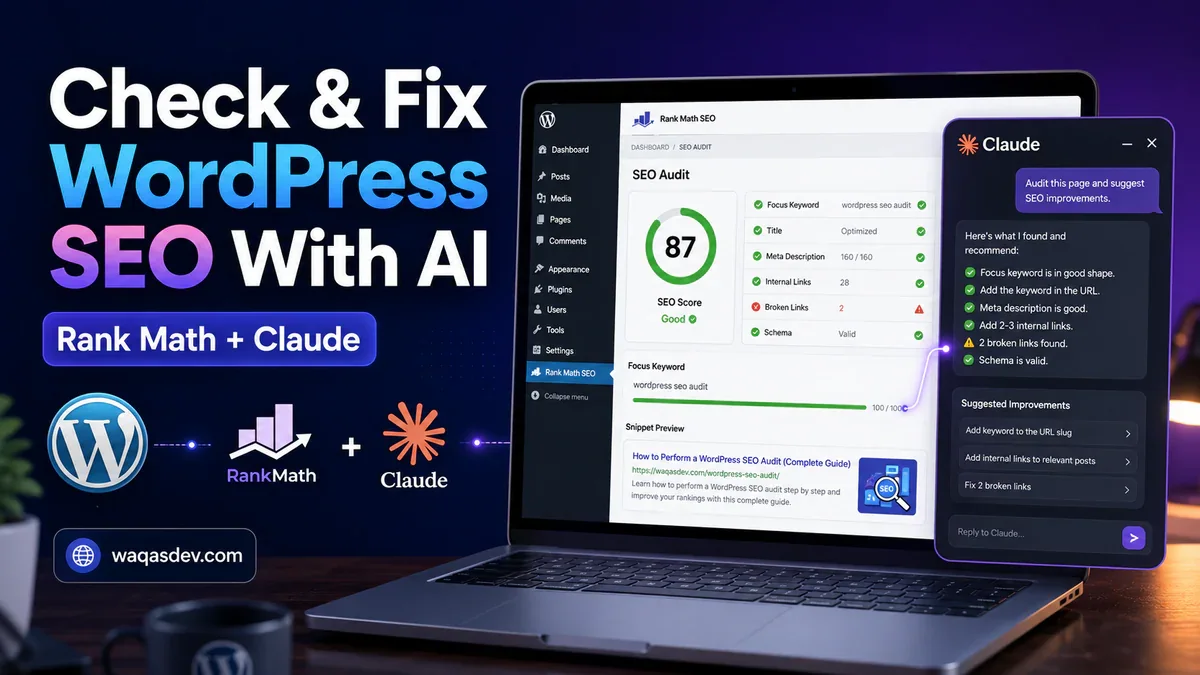
Quick summary: Rank Math now has built-in AI tools, so an assistant like Claude can look at your site’s SEO directly. You create a key, connect Claude once, and then you can manage SEO by typing plain requests: “audit my site’s SEO,” “which posts are missing a description?,” “fix the tests that failed.”
The technology behind it is called MCP (Model Context Protocol). You do not need to understand it. Think of it as a safe doorway that lets an AI app use a fixed set of Rank Math tools.
Best part of the setup: there is nothing to switch on. You do not install a separate “MCP” plugin, and there is no hidden toggle to find in Rank Math’s settings. The moment Rank Math PRO is active, the doorway is there. You just create a key and connect your AI app to it.
What you can ask for
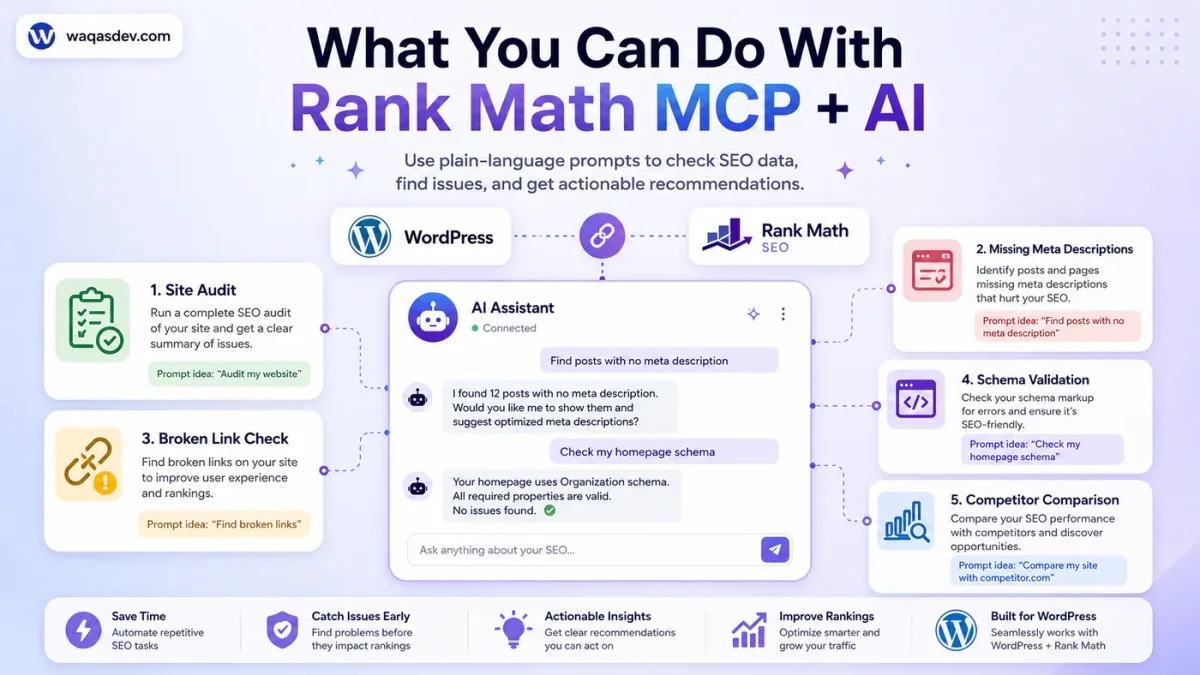
Once it is set up, you just type what you want. A few examples:
- “Run an SEO audit of my site and tell me what’s failing.”
- “Which of my posts have no meta description?”
- “What’s the SEO score and focus keyword for my latest post?”
- “Fix the SEO tests that failed, but show me each one first.”
- “Find broken links across my site.”
- “Does my About page have the right Schema?”
The tools cover the day-to-day of SEO: auditing your site, reading a post’s SEO settings, checking links and Schema, and applying Rank Math’s own fixes.
Before you start
- A self-hosted WordPress site where you log in as an Administrator.
- Rank Math installed, plus Rank Math PRO (the AI tools arrived in PRO 3.0.114, and PRO 3.0.115 added the link and Schema tools). Keep it updated.
- Your site on HTTPS (the padlock in the address bar).
- An AI app that supports MCP. I will use Claude Desktop.
There is no MCP option to enable inside Rank Math. With Rank Math PRO active, the connection is already available, so this is really just two steps: make a key, then connect Claude.
Step 1: create a key for your AI
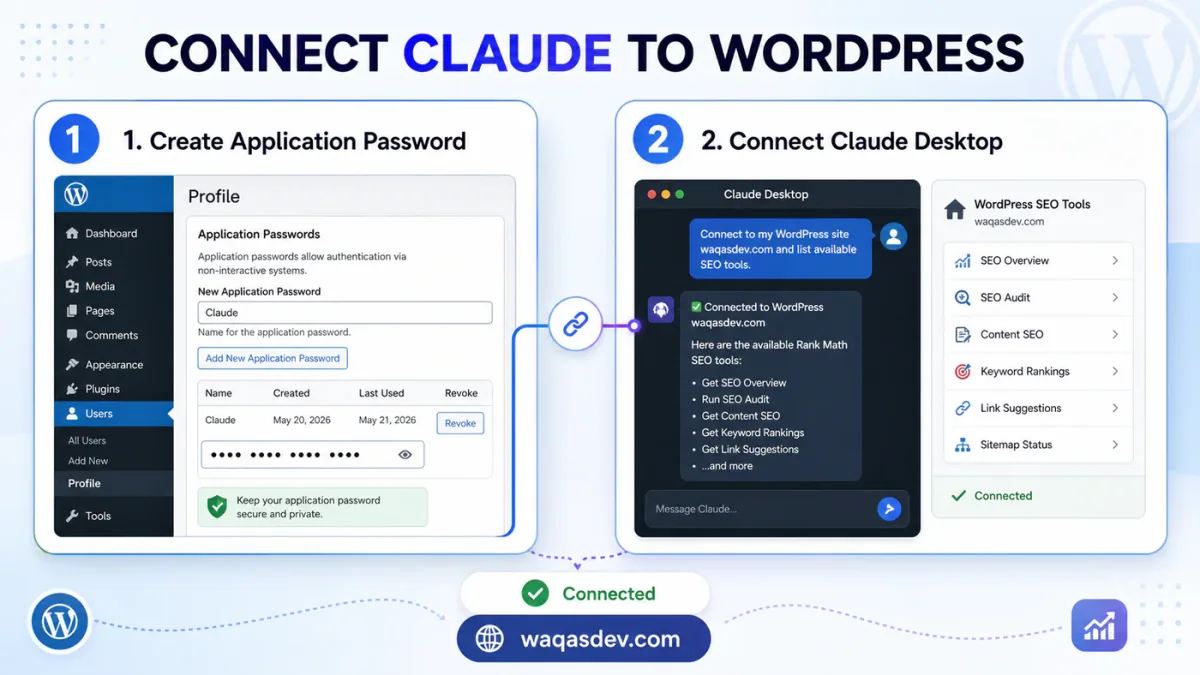
Your AI app signs in to your site with a WordPress Application Password. This is separate from your normal login password, and you can revoke it any time without changing how you log in.
- Go to Users, Profile (or Users, Your Profile) and scroll to Application Passwords.
- Type a name you will recognise, like “Claude”, and click Add New Application Password.
- Copy the password it shows you straight away. It looks like
xxxx xxxx xxxx xxxx xxxx xxxxand is shown only once, so keep it somewhere safe like a password manager.
You now have the two things your AI app needs: your WordPress username and this Application Password.
Step 2: connect Claude Desktop
This is a one-time setup.
- Open Claude Desktop, click the Claude menu, then Settings, Developer, Edit Config. That opens a file called
claude_desktop_config.json. - Paste the block below, replacing your site address, your username, and the Application Password from Step 1. Be careful: this is plain text where a single missing comma or quote stops it working.
{
  "mcpServers": {
    "rank-math": {
      "command": "npx",
      "args": ["-y", "@automattic/mcp-wordpress-remote@latest"],
      "env": {
        "WP_API_URL": "https://YOURSITE.com/wp-json/mcp/mcp-adapter-default-server",
        "WP_API_USERNAME": "your-wordpress-username",
        "WP_API_PASSWORD": "the application password you just copied"
      }
    }
  }
}- Save the file, then fully quit Claude Desktop (use Quit, not just closing the window) and open it again.
- This helper needs Node.js installed on your computer. If Claude reports an error, install the LTS version from nodejs.org, restart, and try again.
If you use Claude Code in a terminal instead of the desktop app, you can do the same with one command:
claude mcp add rank-math --env WP_API_URL=https://YOURSITE.com/wp-json/mcp/mcp-adapter-default-server --env WP_API_USERNAME=your-wordpress-username --env WP_API_PASSWORD="the application password" -- npx -y @automattic/mcp-wordpress-remote@latestTo check it worked, start a chat and ask: “Run an SEO audit of my site.” It should come back with your score and a list of tests.
Step 3: everyday SEO tasks you can just ask for
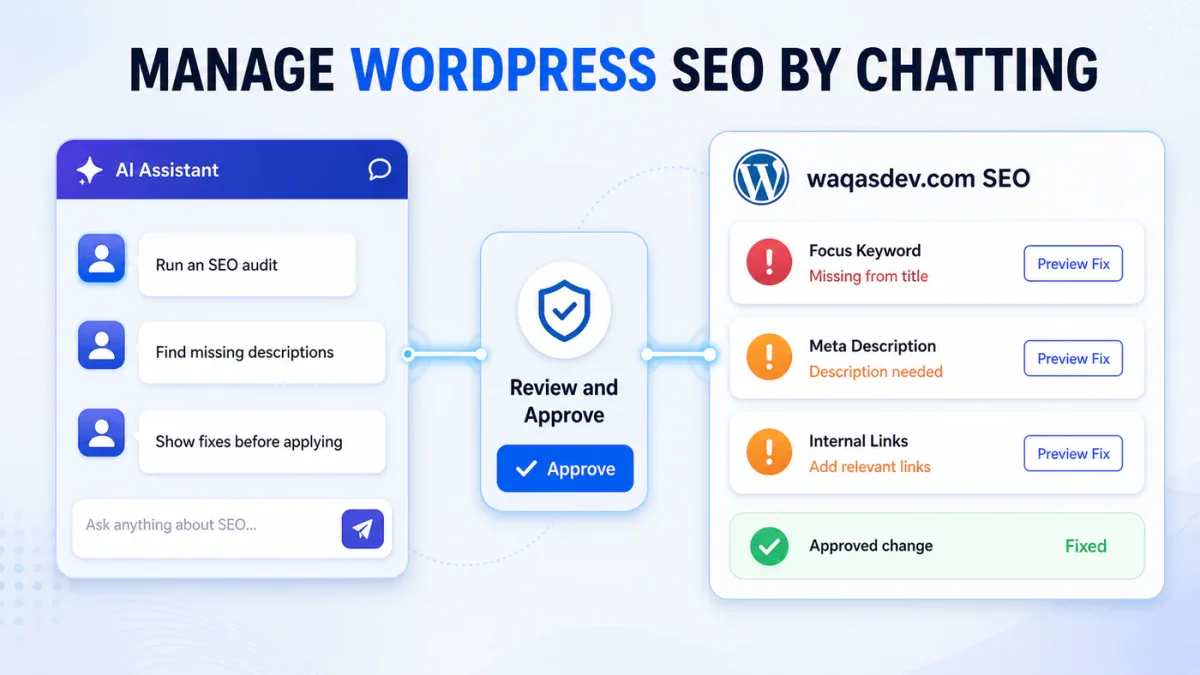
Now you simply ask. A few to try:
- “Run an SEO audit of my site and give me the score and the failing tests.”
- “Which published posts have no meta description or no focus keyword?”
- “Show me the SEO title, description, and focus keyword for my latest post.”
- “Fix the failing SEO tests, but list each fix and let me approve it first.”
- “Find broken links and redirects across my site.”
- “Check the Schema on my homepage and tell me if anything is missing.”
- “Compare my SEO basics against this competitor’s URL.” (this one needs Rank Math PRO)
The assistant reads your SEO data and runs Rank Math’s own audit and fixes, so the suggestions are grounded in the same checks Rank Math already uses.
What a session looks like
Once it is connected, the back-and-forth is plain English. Here is what a typical session looks like.
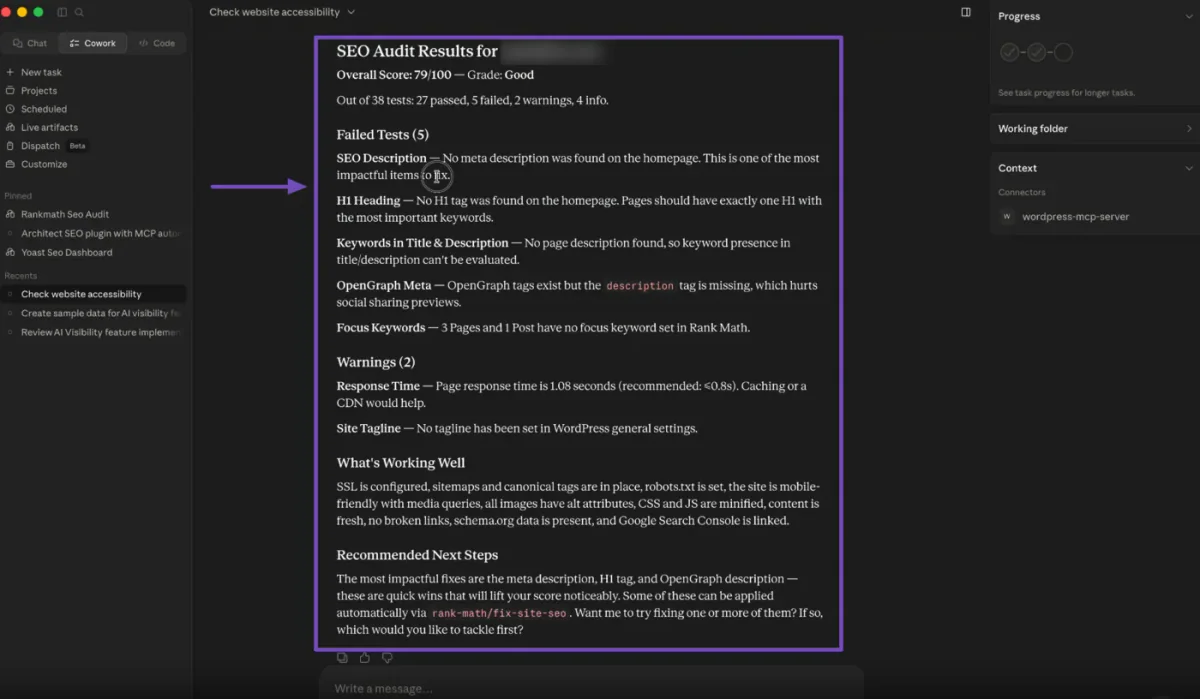
Ask for an audit
> “Run an SEO audit of my site and give me the score and what’s failing.”
It scores your site out of 100 and lists the exact tests that need attention, each with a short reason and a fix hint. On this site it flagged two real things: a page with no focus keyword, and a few posts whose keyword was missing from the title.
Source: Rank Math
Find gaps across your posts
> “Which of my published posts have no meta description?”
It reads each post’s SEO settings and points to the ones missing a description. I had it draft a description for the page it found, checked the wording, and told it to save it.
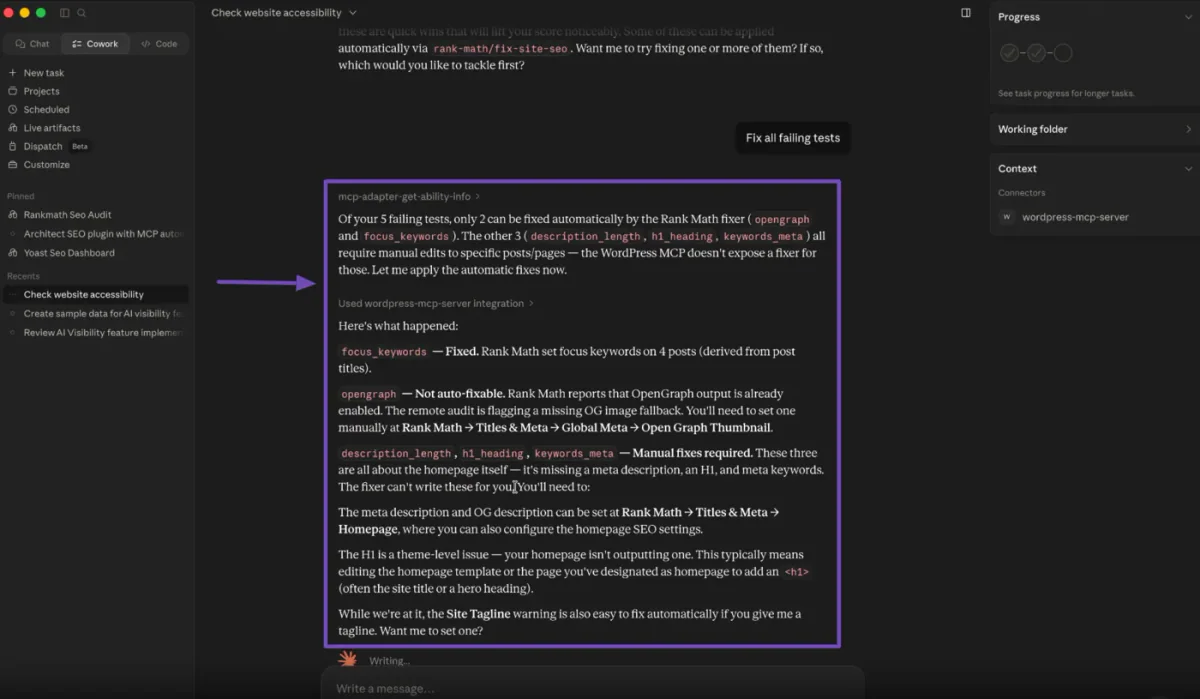
Fix what is failing
> “Fix the SEO tests that failed, but show me each change first.”
For tests it can handle on its own, it offers to apply the fix. For tests that need a decision, like choosing a focus keyword, it suggests one first, waits for your yes, then sets it. Nothing changes without you seeing it.
Source: Rank Math
Check your links
> “Give me a link report and list any posts with no internal links.”
It returns your internal and external link counts and the posts that nothing else links to. Adding a link or two to those is one of the easiest SEO wins there is.
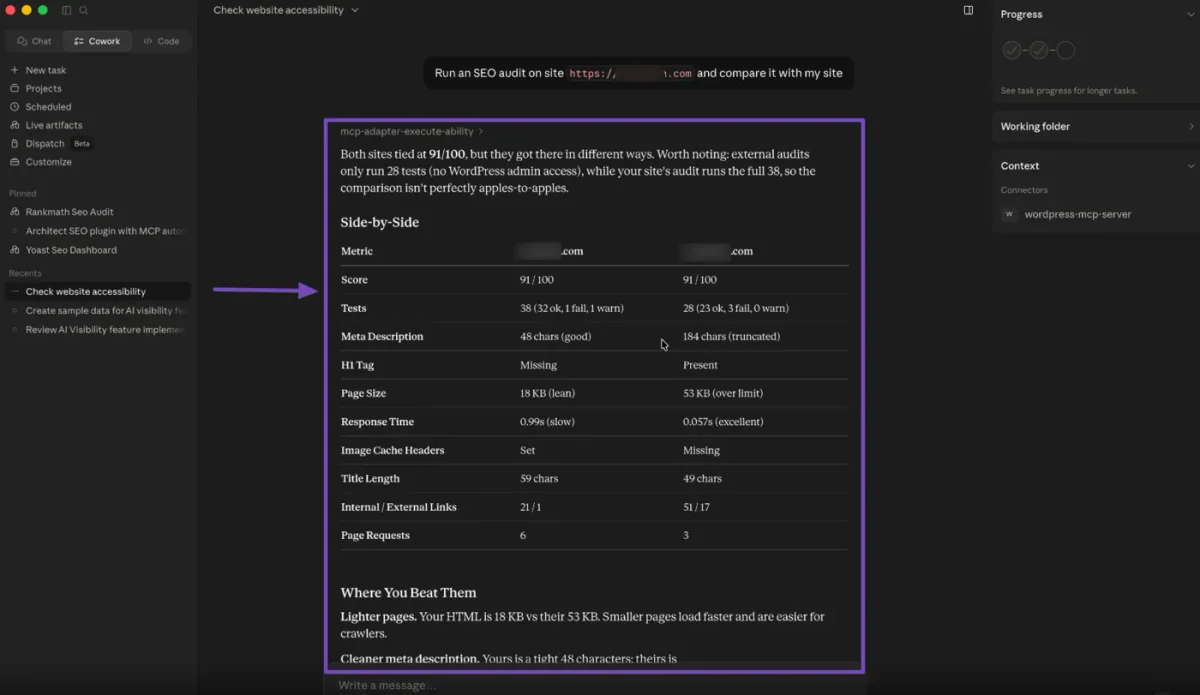
Compare against a competitor (Rank Math PRO)
> “Audit this competitor’s URL and compare the basics to my site.”
It runs the same checks on their public pages and shows where each site is ahead.
Source: Rank Math
Staying safe
A few habits keep this calm and predictable:
- Ask it to show fixes first. Have the assistant list each change before it applies anything, so you stay in control.
- Start by reading. Run audits and read a few posts before you let it change settings, so you see how it behaves.
- Use a limited account. Tie the Application Password to a user with only the access it needs, so it can never do more than that role allows.
- Keep the password safe and revoke any you are not using from the Application Passwords screen.
You can cut access any time by removing the Application Password.
Honest limits right now
- Rank Math’s AI tools are new, so expect them to grow and change. Try them on a staging copy first if you have one.
- A few tools need Rank Math PRO: auditing a competitor’s URL, and the full broken-link and Schema reports.
- The assistant makes suggestions and applies Rank Math’s known fixes. It is a helper, so read what it proposes before you accept it.
- It works through Rank Math’s SEO tools. It does not redesign your site or touch your theme, plugins, or hosting.
Frequently asked questions
Do I need to install an extra plugin, or switch something on?
No. The connection is built into Rank Math, and there is no setting to flip. Once Rank Math PRO is active, you just create a key and connect your AI app.
Do I need to know how to code?
Making a key is a simple click. Connecting your AI app (Step 2) is a one-time technical step; someone can do it for you once and then you are set.
Will it change my site without me knowing?
It can only act within the account and Application Password you give it, and it is easy to keep it read-only or have it ask before each fix. Remove the password to cut access instantly.
Can I use ChatGPT or another app instead of Claude?
Any app that supports MCP can connect in a similar way. Claude Desktop is just the simplest to start with.
Want us to set it up for you?
If connecting the AI is the part you would rather skip, that is exactly what I do. I connect your AI safely with the correct permissions, so all you have to do is ask about your SEO. See waqasdev.com/automation or email [email protected].