Check and Fix Your WordPress SEO With AI (Rank Math + Claude)
Connect Claude to Rank Math and check or fix your WordPress SEO by chatting. Updated for the free MCP Adapter plugin and Rank Math's newest AI tools.
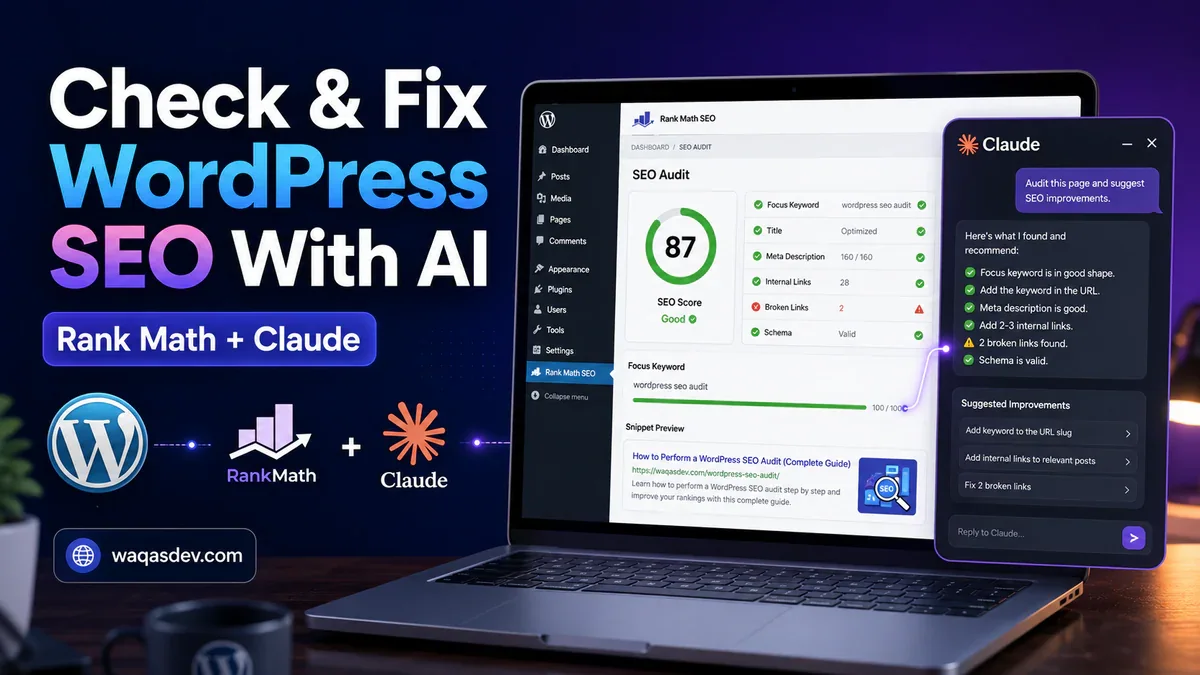
Updated November 2026: Rank Math’s AI tools now connect through the free MCP Adapter plugin from WordPress.org. If your Claude connection to Rank Math stopped working after a recent update, Step 1 below is the fix.
Quick summary: Rank Math has built-in AI tools, so an assistant like Claude can look at your site’s SEO directly. You install one free plugin, create a key, connect Claude once, and then you can manage SEO by typing plain requests: “audit my site’s SEO,” “which posts are missing a description?,” “fix the tests that failed.”
The technology behind it is called MCP (Model Context Protocol). You do not need to understand it. Think of it as a safe doorway that lets an AI app use a fixed set of Rank Math tools.
Setup is three short steps. Rank Math supplies the SEO tools, and the free MCP Adapter plugin, made by the WordPress AI team, opens the doorway to them. You create a key and connect your AI app to it.
What you can ask for
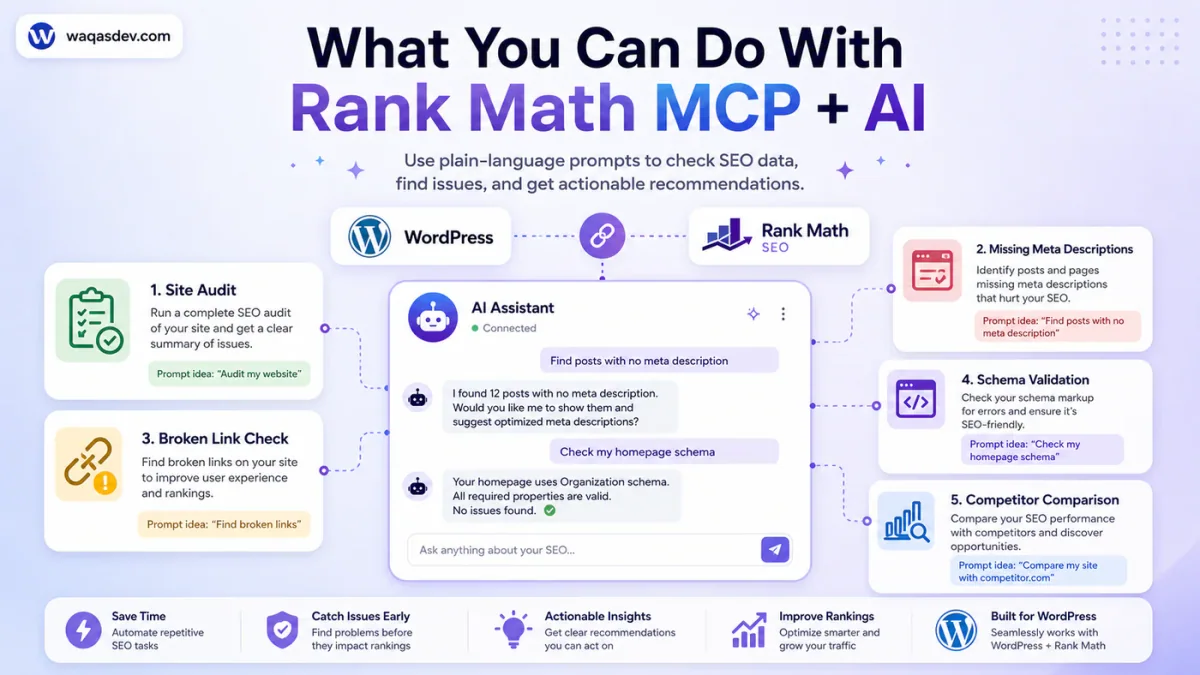
Once it is set up, you just type what you want. A few examples:
- “Run an SEO audit of my site and tell me what’s failing.”
- “Which of my posts have no meta description?”
- “What’s the SEO score and focus keyword for my latest post?”
- “Fix the SEO tests that failed, but show me each one first.”
- “Which keywords bring me the most Search Console clicks?”
- “Find broken links across my site.”
- “Does my About page have the right Schema?”
The tools cover the day-to-day of SEO: auditing your site, reading a post’s SEO settings and scores, checking links, Schema, redirections and 404 errors, pulling your top Search Console keywords, and applying Rank Math’s own fixes. Rank Math has also added tools that change its settings, such as your homepage SEO, sitemap, and breadcrumbs.
Before you start
- A self-hosted WordPress site where you log in as an Administrator.
- Rank Math installed and kept up to date. The AI tools ship with Rank Math itself. Rank Math’s guide marks the competitor audit as PRO, gives PRO users fuller link and Schema data, and puts the AI Visibility tools on its Content AI plan.
- Your site on HTTPS (the padlock in the address bar).
- An AI app that supports MCP. I will use Claude Desktop.
Step 1: install the MCP Adapter plugin
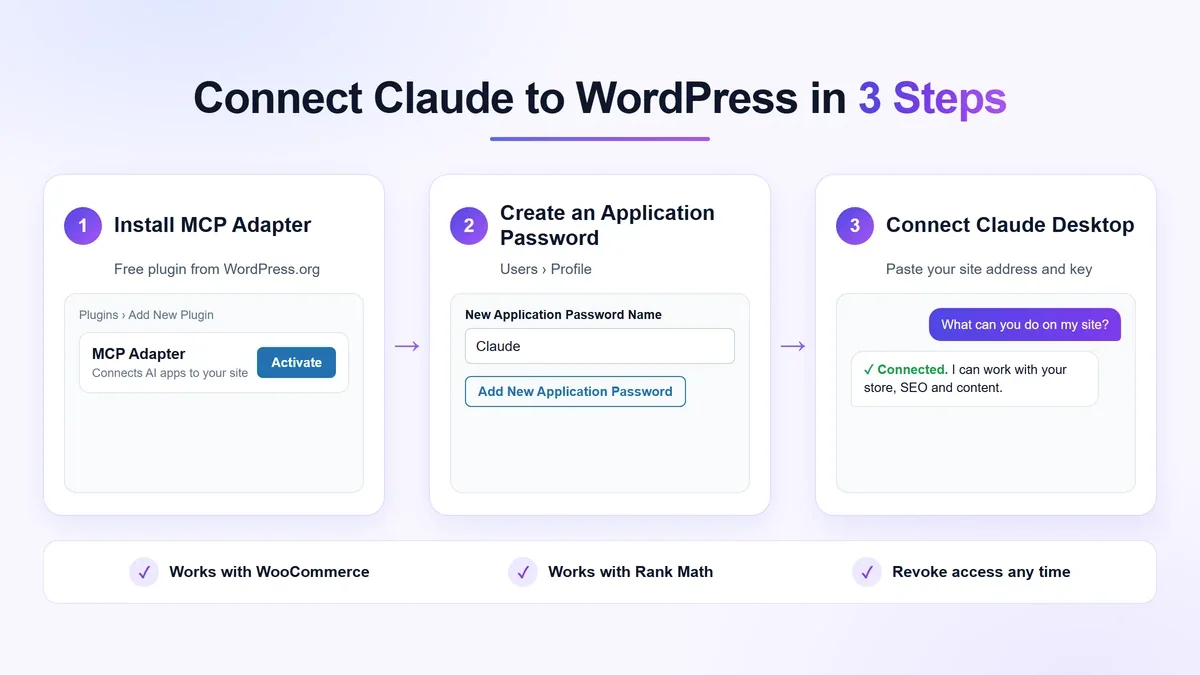
- In your dashboard, go to Plugins, Add New Plugin.
- Search for MCP Adapter, then click Install Now and Activate.
That is the whole step. There is no setting to change inside Rank Math. When I did this on my own site, Claude could see Rank Math’s tools again straight away. If you or your developer prefer the command line, it is one line:
wp plugin install mcp-adapter --activateStep 2: create a key for your AI
Your AI app signs in to your site with a WordPress Application Password. This is separate from your normal login password, and you can revoke it any time without changing how you log in.
- Go to Users, Profile (or Users, Your Profile) and scroll to Application Passwords.
- Type a name you will recognize, like “Claude”, and click Add New Application Password.
- Copy the password it shows you straight away. It looks like
xxxx xxxx xxxx xxxx xxxx xxxxand is shown only once, so keep it somewhere safe like a password manager.
You now have the two things your AI app needs: your WordPress username and this Application Password.
Step 3: connect Claude Desktop
This is a one-time setup.
- Open Claude Desktop, click the Claude menu, then Settings, Developer, Edit Config. That opens a file called
claude_desktop_config.json. - Paste the block below, replacing your site address, your username, and the Application Password from Step 2. Be careful: this is plain text where a single missing comma or quote stops it working.
{
  "mcpServers": {
    "rank-math": {
      "command": "npx",
      "args": ["-y", "@automattic/mcp-wordpress-remote@latest"],
      "env": {
        "WP_API_URL": "https://YOURSITE.com/wp-json/mcp/mcp-adapter-default-server",
        "WP_API_USERNAME": "your-wordpress-username",
        "WP_API_PASSWORD": "the application password you just copied"
      }
    }
  }
}- Save the file, then fully quit Claude Desktop (use Quit, not just closing the window) and open it again.
- This helper needs Node.js installed on your computer. If Claude reports an error, install the LTS version from nodejs.org, restart, and try again.
If you use Claude Code in a terminal instead of the desktop app, you can do the same with one command:
claude mcp add rank-math --env WP_API_URL=https://YOURSITE.com/wp-json/mcp/mcp-adapter-default-server --env WP_API_USERNAME=your-wordpress-username --env WP_API_PASSWORD="the application password" -- npx -y @automattic/mcp-wordpress-remote@latestTo check it worked, start a chat and ask: “Run an SEO audit of my site.” It should come back with your score and a list of tests.
The same connection also reaches any other plugin that offers AI tools, such as WooCommerce. My WordPress MCP guide explains how that works.
Step 4: everyday SEO tasks you can just ask for
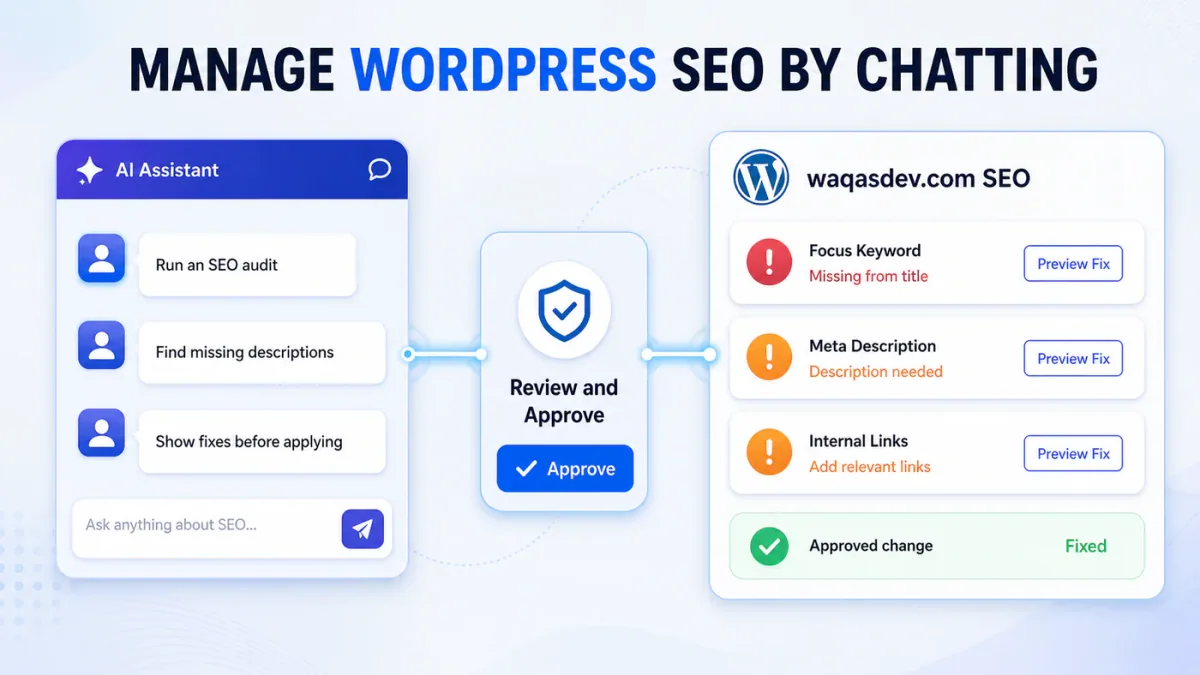
Now you simply ask. A few to try:
- “Run an SEO audit of my site and give me the score and the failing tests.”
- “Which published posts have no meta description or no focus keyword?”
- “Show me the SEO title, description, and focus keyword for my latest post.”
- “Fix the failing SEO tests, but list each fix and let me approve it first.”
- “Show me my top Search Console keywords and the posts they point to.”
- “Find broken links and redirects across my site.”
- “List the latest 404 errors so I can decide which need a redirect.”
- “Check the Schema on my homepage and tell me if anything is missing.”
- “Compare my SEO basics against this competitor’s URL.” (this one needs Rank Math PRO)
The assistant reads your SEO data and runs Rank Math’s own audit and fixes, so the suggestions are grounded in the same checks Rank Math already uses.
What a session looks like
Once it is connected, the back-and-forth is plain English. Here is what a typical session looks like.
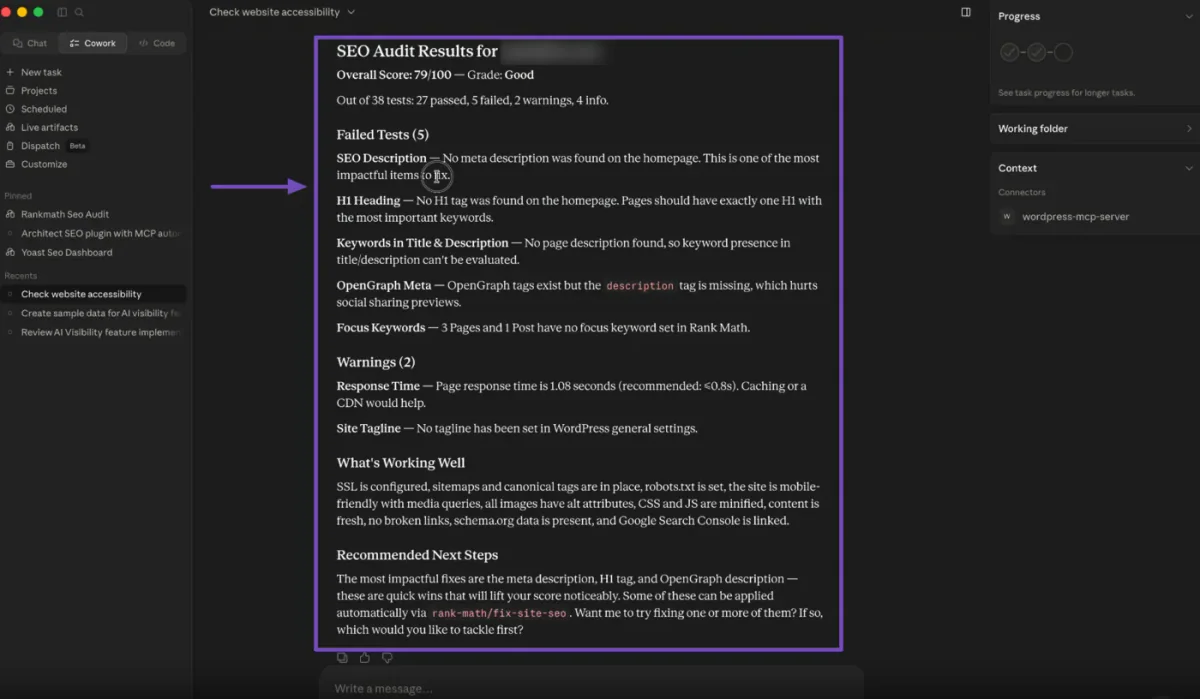
Ask for an audit
> “Run an SEO audit of my site and give me the score and what’s failing.”
It scores your site out of 100 and lists the exact tests that need attention, each with a short reason and a fix hint. On this site it flagged two real things: a page with no focus keyword, and a few posts whose keyword was missing from the title.
Source: Rank Math
Find gaps across your posts
> “Which of my published posts have no meta description?”
It reads each post’s SEO settings and points to the ones missing a description. I had it draft a description for the page it found, checked the wording, and told it to save it.
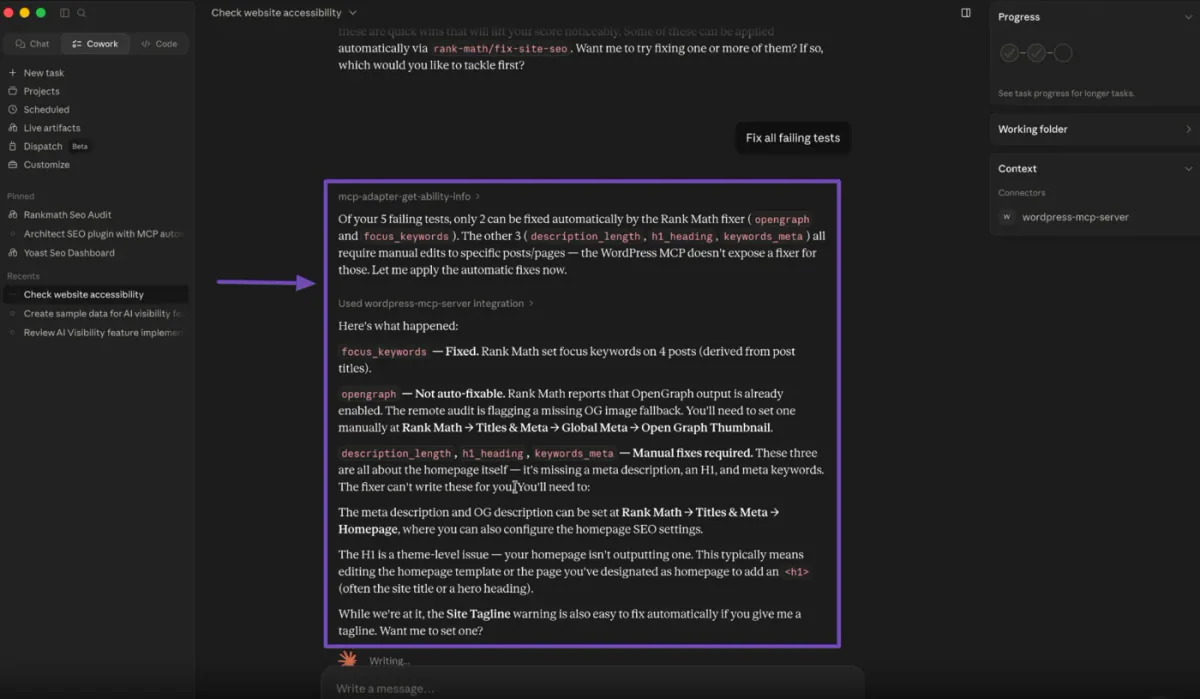
Fix what is failing
> “Fix the SEO tests that failed, but show me each change first.”
For tests it can handle on its own, it offers to apply the fix. For tests that need a decision, like choosing a focus keyword, it suggests one first, waits for your yes, then sets it. Nothing changes without you seeing it.
Source: Rank Math
Check your links
> “Give me a link report and list any posts with no internal links.”
It returns your internal and external link counts and the posts that nothing else links to. Adding a link or two to those is one of the easiest SEO wins there is.
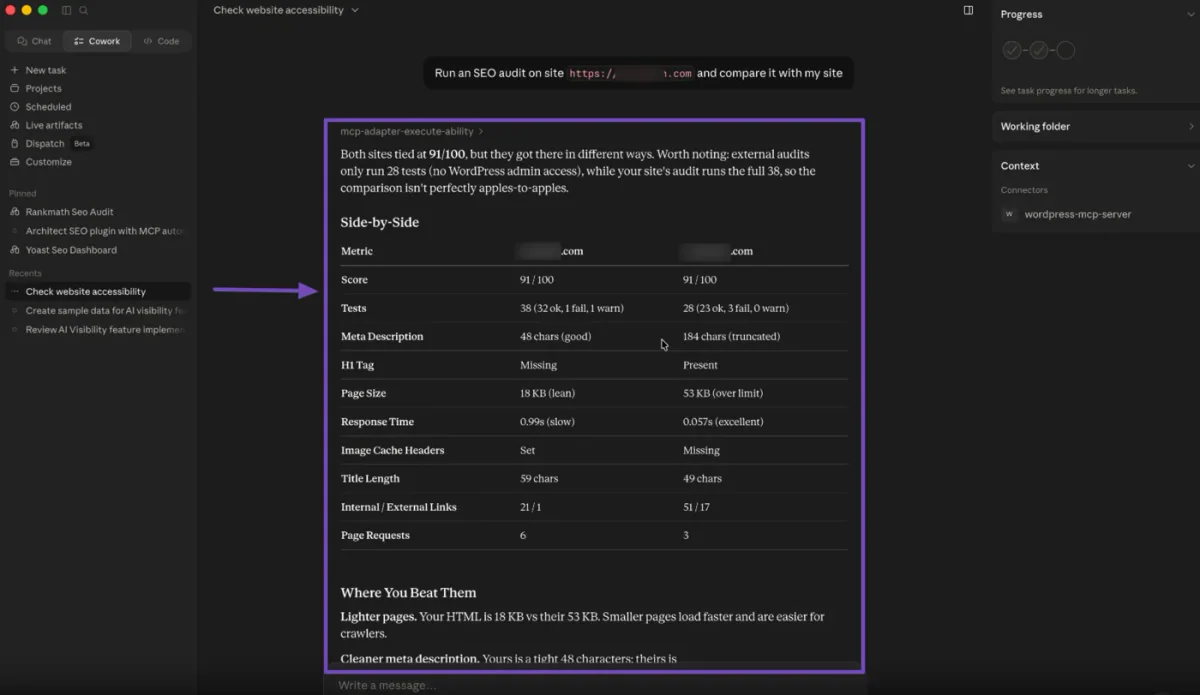
Compare against a competitor (Rank Math PRO)
> “Audit this competitor’s URL and compare the basics to my site.”
It runs the same checks on their public pages and shows where each site is ahead.
Source: Rank Math
Staying safe
A few habits keep this calm and predictable:
- Ask it to show fixes first. Have the assistant list each change before it applies anything, so you stay in control.
- Start by reading. Run audits and read a few posts before you let it change settings, so you see how it behaves.
- Know what the connection can reach. Besides SEO tools, Rank Math’s connection includes tools that change its settings and tools that install, activate, or delete plugins from its marketplace. Ask Claude to list every tool it can use, and tell it to ask before any change.
- Use a limited account. Tie the Application Password to a user with only the access it needs, so it can never do more than that role allows.
- Keep the password safe and revoke any you are not using from the Application Passwords screen.
You can cut access any time by removing the Application Password or deactivating the MCP Adapter plugin.
Honest limits right now
- Rank Math’s AI tools are new and growing fast, so expect them to change. Try them on a staging copy first if you have one.
- A few tools need Rank Math PRO (auditing a competitor’s URL, the full broken-link and Schema data), and the AI Visibility tools need a Content AI plan.
- The assistant makes suggestions and applies Rank Math’s known fixes. It is a helper, so read what it proposes before you accept it.
- It works through the tools your plugins provide. It does not redesign your site or touch your theme or hosting.
Frequently asked questions
Do I need to install an extra plugin, or switch something on?
You install one free plugin, MCP Adapter, from WordPress.org. Rank Math supplies the SEO tools, and there is no setting to flip inside Rank Math.
My connection worked before and stopped. Why?
Earlier versions of Rank Math carried their own copy of the MCP connection. Current versions rely on the MCP Adapter plugin instead, so installing it (Step 1) brings the same address back. Your existing Claude config keeps working once it is active.
Do I need to know how to code?
Installing a plugin and making a key are simple clicks. Connecting your AI app (Step 3) is a one-time technical step; someone can do it for you once and then you are set.
I read about a tool called mcp-remote. Should I use that?
Use the helper in Step 3 instead. mcp-remote expects an OAuth sign-in, while this connection signs in with your username and Application Password.
Does it cost anything?
The MCP Adapter plugin is free, and the core AI tools come with Rank Math. PRO and Content AI add the extras listed above. Beyond that you only pay for whatever AI app you use.
Will it change my site without me knowing?
It can only act within the account and Application Password you give it, and it is easy to keep it read-only by asking it to look only, or to have it ask before each fix. Remove the password to cut access instantly.
Can I use ChatGPT or another app instead of Claude?
Any app that supports MCP can connect in a similar way. Claude Desktop is just the simplest to start with.
Want us to set it up for you?
If connecting the AI is the part you would rather skip, that is exactly what I do. I install the right plugin and connect your AI safely with the correct permissions, so all you have to do is ask about your SEO. See waqasdev.com/automation or email [email protected].